Robolab – a programming school in Cyprus
About the company
Robolab is an international educational project that is running successfully in Cyprus!
Over 3,300 students from Belarus, Russia and the EU
The school also has an online platform.
Main courses:
The ‘Robotics (ages 6–8)’ course enables children to use their creative abilities to start exploring programming, physics, computer science, maths and robotics as early as Year 1. This approach to learning makes acquiring knowledge a great pleasure for young engineers, motivating them to broaden their horizons independently.
The ideal age to start this activity is 6–8 years old. Before this age, a child may find it difficult to understand how various mechanisms work. Furthermore, mathematical concepts are best learnt in parallel with their study in the school curriculum.
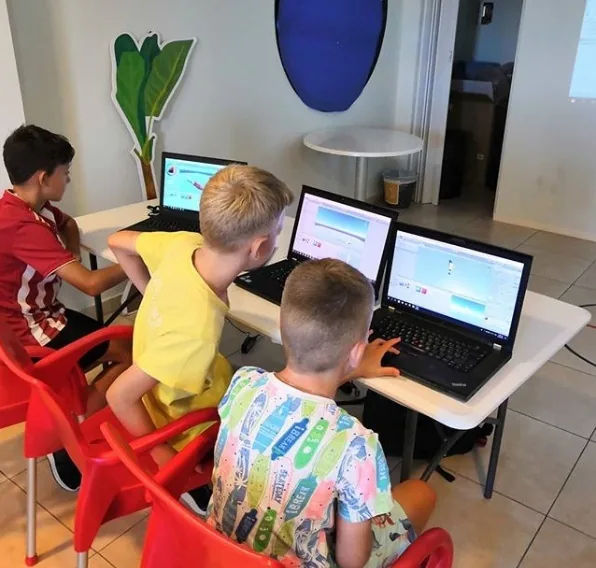
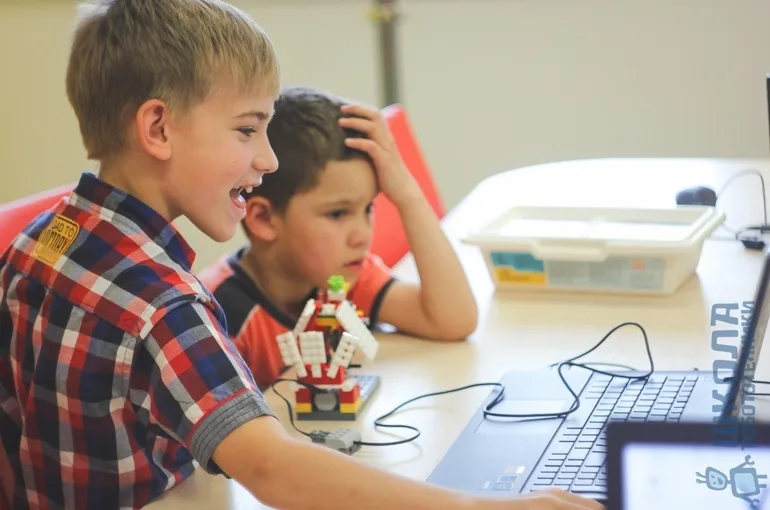
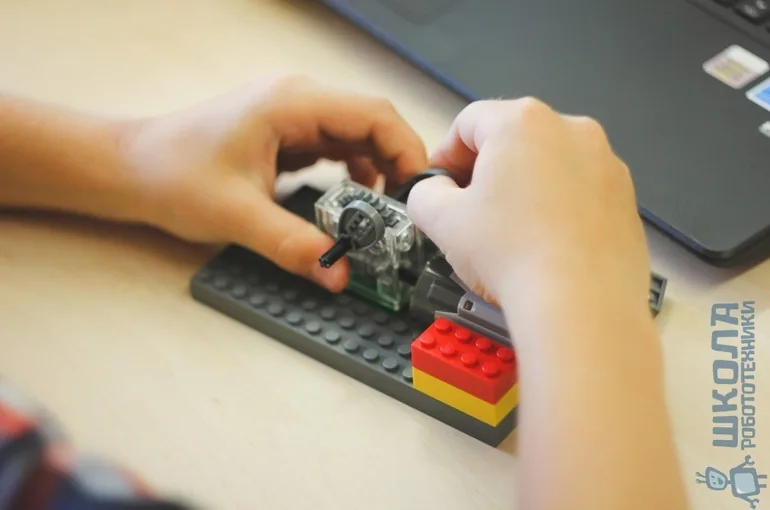
In our classes, to teach basic design and programming skills, we use the Lego WeDo kit, which has been specially developed for practising entry-level robot design. In addition to classic bricks, the set includes a motor, a switch and sensors that enable the models to function. Using this set, children can design and programme their creations via a computer application. The learning process introduces the first concepts of programming: loops, blocks and algorithms. Their exploration is based on the LEGO Education WeDo programme, which utilises a visual programming environment. Children drag and drop icons into the workspace to write their first programmes. All these tools allow you to bring a drawing to life in accordance with the programme, which is a thrilling experience for children.
In addition, children learn to formulate, analyse, critically evaluate and defend their ideas. Working in a team, pupils develop communication skills.
Choosing this course will give your child the opportunity to:
– learn the basics of mechanics;
– build models from Lego sets following the provided instructions;
– create their own robot models;
– learn to programme using the WeDo environment;
– learn to present their projects;
– unlock their creative potential;
– learn to work as part of a team.
Course: Robotics (ages 7–9)
Choosing the ‘Robotics 7–9’ course is an excellent opportunity for children to deepen their knowledge of programming using the WeDo graphical environment, as well as to familiarise themselves with the Scratch programming language.
During our course, children using Lego Education WeDo not only assemble models according to instructions, but also create their own robots and programme them to perform specific actions using the WeDo visual programming environment and the Scratch language. In addition, the children take part in project-based activities, learn to present their models and work as a team.
The course is designed for children aged 7 to 9 and is suitable not only for beginners but also for those who have already had some experience with robot building, as the sessions offer more complex and interesting models to build, which are truly amazing. During the sessions for this course, the children create more complex algorithms for their robots’ actions using the WeDo and Scratch graphical programming environments.
The Scratch programming language offers more opportunities for your child to bring their creative ideas to life. Using this programming language, you can ‘bring your robot to life’, create your own animation, cartoon, greeting card and even a game that you can play with a friend.
By choosing this course, you’re giving your child the opportunity to:
– create more interesting robot models using Lego bricks;
– make significant progress in programming using the WeDo environment;
– learn the Scratch programming language and create a whole host of their own creative projects;
– learn how to present their projects;
– unlock their creative potential;
– learn to work as part of a team.
The ‘EV3 Robotics’ Course
This is an original course that offers children an exciting opportunity to explore the natural sciences, technical sciences, engineering and mathematics through hands-on learning.
The ideal age to start this activity is 10–12 years. Children may initially struggle to understand how mechanisms work. Previously, children may have found it difficult to understand how various mechanisms work. Furthermore, mathematical and physical concepts (which are essential for creating algorithms and designing circuits and mechanisms) are best learnt in parallel with their study in the school curriculum.
By combining LEGO building sets with LEGO MINDSTORMS educational technology, student teams can design, build, programme and test robots. Whilst working with LEGO EV3, pupils gain experience in solving both standard and non-standard problems in the fields of design, programming and data collection. LEGO EV3 makes it easy to assemble initial models, allowing pupils to achieve results within one or a few lessons. At the same time, there is a wide range of options for modifying models and programmes, and this approach enables students to make their models and programmes more complex – demonstrating their independence in exploring the subject.
Furthermore, pupils learn to formulate, analyse, critically evaluate and defend their ideas. By working in teams, students acquire communication, organisational and research skills that will help them achieve success at university and in their future careers.
But that’s not all. The ‘EV3 Robotics’ course has two levels of study. The difference between the second stage and the first lies not only in the fact that the children assemble and programme more complex robot models, but also in the fact that they are invited to undertake entire missions related to space exploration or the creation of a sustainable environment. a child-friendly city on our planet. This option is offered to children who would like to take part in additional projects. Upon completion of this course, the focus is on creating and refining their own models to carry out specific tasks. For those children who love to compete, the ‘Preparation for WRO’ course is ideal.
All children love fairy tales and stories; they love to invent and create all sorts of fantastical characters. Children endow their characters with objects, toys, animals and plants, combining various elements within them in an attempt to express their inner feelings.
But it is not enough for a child simply to create a fairy tale in their mind. They need to visualise it. What did we get up to when we were children? We’d take a sheet of paper and try to sketch out all the battles, flights to unknown planets, and tales of fairy-tale knights, princesses and wizards.
Modern children, surrounded by computers, smartphones and tablets, do not always reach for pencils and felt-tip pens in such situations. Most children would prefer a gadget. The task for adults is to teach children how to use a computer for creative self-expression.
‘Scratch Programming’ Course (ages 8–12)
This is a brilliant opportunity for children aged 8–10 to dive into the amazing world of Scratch, which they can use to create their own projects: animated and interactive stories, cartoons, computer games, presentations, slideshows, and cards featuring characters that move and speak.
Scratch is a unique programming language designed for children and tailored to their creative potential.
Programming opens up many new opportunities for children’s learning. Multimedia skills create the conditions for active, inquiry-based learning and varied programming, and allow us to better understand how the new technologies that surround us work in everyday life.
Children often associate programming with a very boring and complicated process. So what did the programme’s developers come up with? They created an environment based on the fundamentals of the Logo language and utilising technology from the well-known Lego construction set.
A distinctive feature of Scratch is that you don’t need to write code in text form. Instead, the programme consists of blocks that you drag and drop to connect, just like Lego bricks.
A colourful and simple interface. Young users can easily find their way around this environment.
What skills does Scratch help children develop?
– Digital literacy
– When creating projects in the programme, children work with various types of information: images, text, sound and animation, thereby developing their creative abilities to the full. Whilst working, children sometimes have to gather and process information from various sources, which helps them become more discerning and competent in handling information.
– Critical and logical thinking
– In the projects they create, children must coordinate the behaviour of objects, how they interact with one another, and their responses to various events. They learn to think critically and rationally by constructing a sequence of logical events.
– Goal-setting and problem-solving
– Working on projects in Scratch requires the ability to set goals, identify initial data and required outcomes, and plan the steps needed to achieve the goal.
– Self-development and self-determination
– Working with Scratch instils in children the perseverance to achieve their goals, creating an inner drive to overcome problems.
– Creativity and curiosity
– The programme encourages creative thinking by engaging children in finding new solutions to problems.
– Interpersonal interaction and collaboration
Working on projects in Scratch enables pupils to collaborate on projects, as the programme allows them to share scripts and files with one another. Furthermore, the programme allows them to share their projects online with a vast community of Scratch users worldwide, as well as to explore, discuss and utilise projects made available by others.
Responsibility
When creating their own project, children should be aware that millions of people may see their creation and be prepared to respond appropriately to their feedback.
The ‘Mobile Development’ Course (ages 9–14)
This course has been designed specifically for children with an interest in programming. It allows students to immerse themselves in the world of development by creating games and apps for Android smartphones.
Using a visual development environment to create apps, children will try their hand at being designers, programmers and testers. In our lessons, instead of a text-based programming language, we use the MIT App Inventor visual environment, which features pre-built function blocks that allow more time to be spent learning the algorithms for creating programmes and less time on writing the application code itself.
Alongside learning to programme, children will learn about sensors and the memory of mobile devices, graphics, methods for creating animations, file formats and how to work with them when building apps, and much more.
This is a logical follow-up to the course on the Scratch environment (knowledge of how to use this programme will make working with App Inventor easier), but it will also be useful for those who have not yet encountered programming.
During the lessons, children will tackle unusual tasks, learn to think more broadly, work as a team, analyse problems and find the quickest ways to solve them. Students will create interesting games and useful apps that can easily be downloaded onto their own smartphone or a friend’s phone.
Unity Course (ages 10–15)
Does your child love video games? Let your young gamer become a game developer and gain valuable knowledge for their future career. Enrol your child in Unity!
The course is suitable for children aged 10 and over who are taking their first steps in programming.
What is Unity?
Unity is an engine for developing games and interactive applications. One in every two games is created using Unity. Well-known developers such as Wargaming, Blizzard and Ubisoft use Unity in their projects.
This engine features a visual interface. Unity isn’t just code; it’s a workspace and a set of tools. The results of their work are displayed on screen immediately.
What do children do in Unity lessons?
Teach children to understand the Unity engine and the C# programming language
Children learn the basic principles and technologies behind modern game development
Children model objects, create characters, and work with animation, lighting, sound and special effects.
Children learn to work in 2D and 3D
Children create their first computer games
Why Unity at ROBOLAB?
Creating their own computer game is a source of pride for children
Gaining a basic understanding of programming
Learning the popular Unity engine
Each session lasts 90 minutes.
Frequency: once a week.
Course duration: 37 lessons (9 months).
Gallery